Top 10 AI SVG Generation Tools in 2026 Compared: Features, Pricing and Best Use Cases
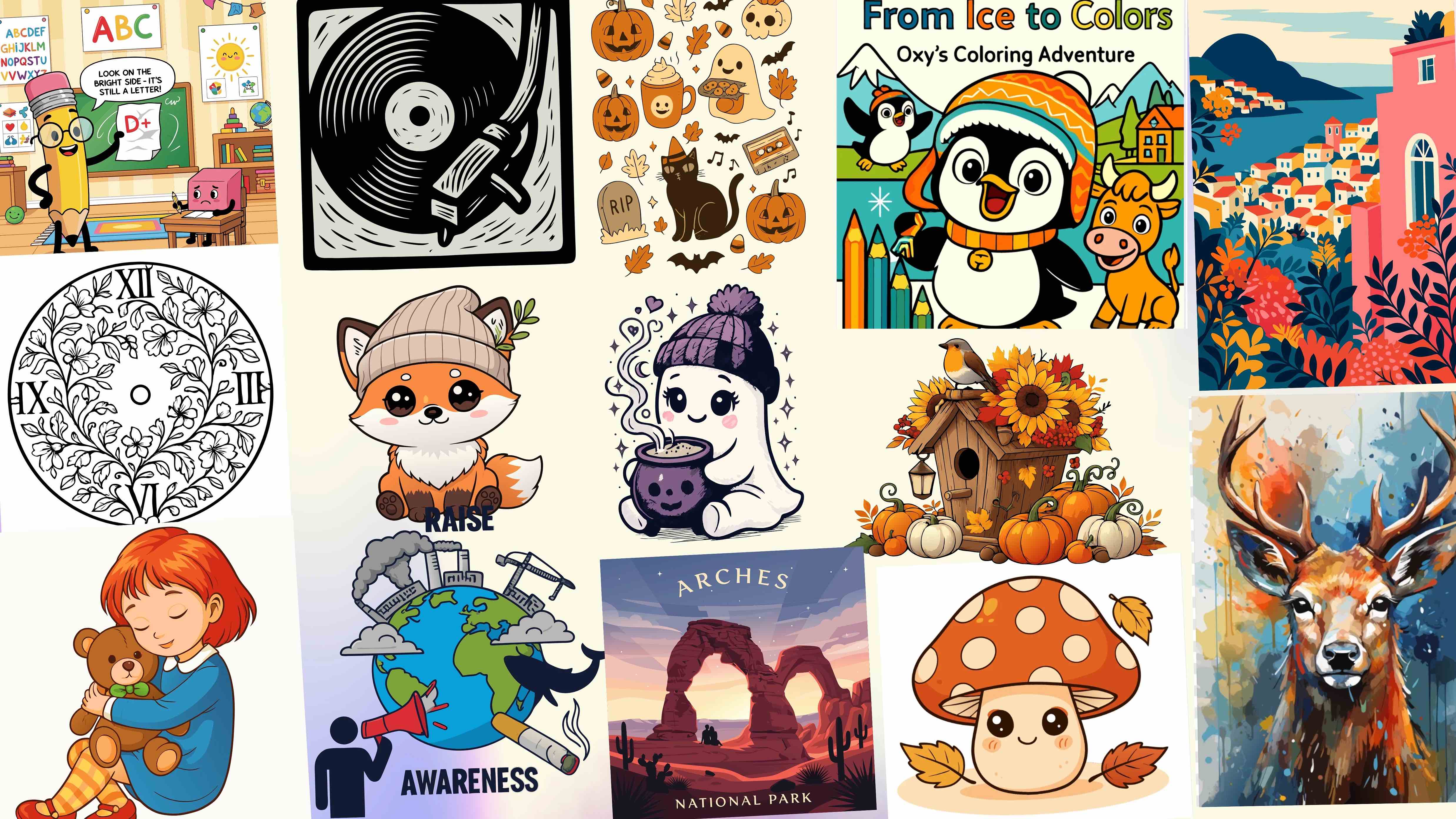
SVG creation has changed a lot in the last few years. What once required deep vector design skills can now be done with the help of AI. Designers, marketers, and developers are increasingly turning to AI SVG generators to create scalable graphics faster and with less friction.
But not all AI SVG tools are built the same. Some focus on speed. Others focus on conversion from images. A few prioritize clean SVG structure and editability, which matters a lot in real projects.
This guide compares the top AI SVG generation tools in 2026 based on what actually matters. SVG output quality, AI capability type, pricing approach, and best fit users. There is no fluff here, only practical differences.
How These AI SVG Tools Were Compared
Each tool in this list is evaluated using the same criteria.
- What the tool does best
- SVG output quality and structure
- AI capability type such as text to SVG or image tracing
- Pricing model clarity
- Best fit user and workflow
The focus is on real SVG results, not feature lists.
Comparison: AI SVG Tools at a Glance
| Tool | AI Type | SVG Quality | Editing Control | Pricing Model | Best For |
|---|---|---|---|---|---|
| SVGMaker | Text and image | Clean and structured | Strong | Freemium | Production ready SVGs |
| SVGai.org | Text to SVG | Moderate | Limited | Freemium | Fast concepts |
| Vectorizer AI | Image tracing | High | Moderate | Usage based | Raster to SVG |
| Canva | Assisted design | Visual focus | Limited | Subscription | Marketing visuals |
| Figma | Assisted design | Good | Strong | Team based | Collaboration |
| Adobe | Assisted design | Excellent | Full | Subscription | Advanced illustration |
| Picsvg | Auto tracing | Basic | Minimal | Free | Quick conversions |
| Autotracer | Algorithmic | Varies | Minimal | Free | Hobby use |
| Vectr | Basic AI | Basic | Moderate | Freemium | Simple graphics |
| Boxy SVG | Manual editing | Clean edits | Strong | Freemium | Editing SVGs |
1. SVGMaker
What it does best
SVGMaker focuses on generating clean, editable SVGs that are ready for real use.
SVG output quality
The SVGs are lightweight, with minimal nodes and clear path structure. Scaling remains sharp at any size. According to W3C standards, well-structured SVG files can be 40-60% smaller than poorly optimized ones.
AI capability type
Text to SVG and image to SVG with built in editing.
Pricing model
Freemium with transparent upgrade paths.
Best fit user
Designers, marketers, and developers who care about SVG quality and reuse. Perfect for creating high-quality SVG icons for web and mobile apps.
2. SVGai.org
What it does best
Quick AI generated SVGs from text prompts.
SVG output quality
Visually correct but often limited in structure.
AI capability type
Text to SVG.
Pricing model
Free tier with paid plans.
Best fit user
Users generating quick visual ideas without heavy editing needs.
3. Vectorizer AI
What it does best
High accuracy image to SVG conversion.
SVG output quality
Clean edges with decent path optimization.
AI capability type
Image tracing.
Pricing model
Limited free usage with paid plans.
Best fit user
Logos and raster graphics conversion. Great for converting JPG to SVG projects.
4. Canva
What it does best
Template driven design and fast visual creation.
SVG output quality
Looks fine visually but includes heavier structure.
AI capability type
AI assisted layout and design.
Pricing model
Freemium subscription.
Best fit user
Marketing teams and non designers.
5. Figma
What it does best
Collaborative design with vector support.
SVG output quality
Good but depends on how the file is built.
AI capability type
AI assisted design features.
Pricing model
Free and team based pricing.
Best fit user
Product teams and UI designers.
6. Adobe
What it does best
Advanced vector illustration and creative control.
SVG output quality
Excellent when optimized manually. Adobe's Illustrator has been the industry standard for vector graphics since 1987, according to Adobe's official timeline.
AI capability type
AI assisted design tools.
Pricing model
Subscription based, starting at $59.99/month for Creative Cloud All Apps in 2026.
Best fit user
Professional illustrators and designers. Consider whether to replace Illustrator with AI SVG generators for certain workflows.
7. Picsvg
What it does best
Simple free image to SVG conversion.
SVG output quality
Basic with high node counts.
AI capability type
Automatic tracing.
Pricing model
Free.
Best fit user
Quick one time conversions.
8. Autotracer
What it does best
Open source raster to vector tracing.
SVG output quality
Varies based on image quality.
AI capability type
Algorithmic tracing.
Pricing model
Free.
Best fit user
Developers and hobbyists.
9. Vectr
What it does best
Simple vector graphics with SVG export.
SVG output quality
Basic but usable.
AI capability type
Limited AI assistance.
Pricing model
Freemium.
Best fit user
Beginners creating simple graphics.
10. Boxy SVG
What it does best
Browser based SVG editing.
SVG output quality
Clean manual edits.
AI capability type
Minimal AI support.
Pricing model
Free and paid versions.
Best fit user
Editing and refining existing SVGs.
Features Comparison
| Feature | SVGMaker | SVGai | Vectorizer | Canva | Figma | Adobe |
|---|---|---|---|---|---|---|
| Text to SVG | Yes | Yes | No | Limited | Limited | No |
| Image to SVG | Yes | No | Yes | No | No | Yes |
| SVG editability | Strong | Limited | Moderate | Limited | Strong | Full |
| Node optimization | Strong | Moderate | Moderate | Low | Varies | Manual |
| Web ready output | Yes | Sometimes | Yes | Rarely | Sometimes | Yes |
| Learning curve | Low | Low | Low | Very low | Medium | High |
Best Tool by Use Case
| Use Case | Best Tool |
|---|---|
| Best AI SVG generator overall | SVGMaker |
| Best for clean editable SVGs | SVGMaker |
| Best for image to SVG conversion | Vectorizer AI |
| Best for marketing visuals | Canva |
| Best for collaborative design | Figma |
| Best for advanced illustration | Adobe |
| Best free SVG conversion tool | Picsvg |
Figma AI
What it does best
Figma AI brings emerging AI features directly into the collaborative design platform. It assists with vector creation, auto-layout suggestions, and component generation, making it a natural extension for teams already working in Figma.
SVG output quality
Good overall, but output quality depends heavily on how the file is structured. Designs built with clean component hierarchies export better SVGs than those with flattened or overly nested layers.
AI capability type
AI assisted design features including auto-layout, component suggestions, and vector generation from descriptions.
Pricing model
Free for individual use with team based pricing for collaboration features. AI features are gradually rolling out across plan tiers.
Best fit user
UI/UX designers and product teams who need collaborative vector workflows with AI assistance built into their existing design tool.
Autodraw by Google
What it does best
Autodraw is a free tool from Google that converts rough sketches into clean vector graphics using machine learning. You draw a rough shape and the AI suggests polished clip art style vectors that match your intent.
SVG output quality
Basic but clean. The output is simple clip art quality rather than production grade illustration. Good for quick concepts but not detailed professional work.
AI capability type
Machine learning sketch recognition that matches hand drawn input to a library of professional vector graphics.
Pricing model
Completely free with no usage limits or account required.
Best fit user
Quick sketches, educational use, and anyone who needs simple vector graphics without learning complex design software.
For Designers & Illustrators
AI SVG generators are not just for beginners or non-designers. For professional designers and illustrators, these tools unlock new creative workflows that were previously impossible or impractical.
Creative Exploration
AI enables rapid iteration and experimentation, allowing designers to explore multiple concepts quickly and efficiently. Instead of spending hours on a single direction, designers can generate dozens of variations in minutes and refine the most promising ones.
Rapid Iteration
What once took hours can now be accomplished in minutes. AI generators can interpret descriptions and create complex vector graphics instantly, letting designers focus on creative direction rather than manual execution.
Accessibility for Design Professionals
Even experienced designers benefit from AI assistance when working outside their primary style or medium. An illustrator specializing in character design can quickly generate geometric patterns, while a UI designer can explore illustration styles without switching tools.
Can ChatGPT Generate SVG Files?
This is one of the most frequently asked questions in the design community. While ChatGPT can write SVG code, there is a significant difference between generating code and creating professional quality vector graphics.
The Reality of ChatGPT SVG Generation
ChatGPT can create simple SVG code for basic shapes and patterns, but it lacks the visual understanding and artistic capabilities needed for complex, professional graphics. It is more of a coding assistant than a design tool.
For production ready vector graphics, specialized AI SVG generators offer far superior results with proper visual composition, style consistency, and design principles. Purpose built tools understand vector aesthetics in ways that general language models cannot match.
The Future of AI in Vector Graphics
The AI revolution in vector graphics is just beginning. As we look toward the future, several exciting developments are on the horizon:
Real-time Collaboration
AI assistants will work alongside designers in real time, suggesting improvements and automating repetitive tasks as part of the collaborative design workflow.
Style Transfer
Advanced AI will be able to apply any artistic style to vector graphics while maintaining perfect scalability and clean SVG structure.
Voice-Controlled Design
Designers will be able to create and modify vector graphics using natural voice commands, making the design process even more accessible.
Predictive Design
AI will anticipate design needs and automatically generate variations and alternatives, streamlining the creative exploration process.
Frequently Asked Questions
1. What is an AI SVG generation tool?
An AI SVG generation tool uses artificial intelligence to create or convert vector graphics in SVG format. These tools can generate SVGs from text prompts, convert images into vectors, or assist with editing and optimization. According to Gartner's 2025 report on AI in creative tools, AI-powered design assistance is expected to be used in 75% of professional design workflows by 2027.
2. Are AI generated SVGs suitable for professional use?
Yes, many AI generated SVGs are suitable for professional use, especially when the tool produces clean paths, minimal nodes, and editable structure. Output quality varies widely between tools.
3. What is the difference between text to SVG and image to SVG tools?
Text to SVG tools generate vectors from written descriptions, while image to SVG tools trace raster images like PNG to SVG or JPG to SVG into vector paths. Some tools support both methods.
4. Which AI SVG tool produces the cleanest SVG output?
Tools that focus specifically on SVG structure and optimization tend to produce cleaner output. In this comparison, SVGMaker consistently delivers lightweight, well structured SVGs that are easy to edit and reuse.
5. Can AI SVG tools replace traditional vector design software?
AI SVG tools can replace traditional software for many common tasks such as icons, logos, and web graphics. For complex illustrations and advanced artistic control, traditional tools like Adobe are still useful.
6. Why does SVG file structure matter?
Clean SVG structure affects file size, performance, editability, and scalability. SVGs with excessive nodes or nested elements are harder to maintain and may perform poorly on websites. According to HTTP Archive data, optimized SVGs can reduce page weight by 30-50% compared to unoptimized versions. Learn how to compress and clean SVG code.
7. Are free AI SVG tools reliable?
Free AI SVG tools can be useful for basic tasks or testing, but they often come with limits on quality, editing, or usage. For consistent professional work, paid or freemium tools usually offer better results.
8. Which AI SVG tool is best for web and app development?
For web and app development, tools that produce clean, optimized SVGs with good editability are best. SVGMaker and carefully optimized exports from professional tools work well in these environments.
9. Do AI SVG tools support editing after generation?
Some do and some do not. Tools like SVGMaker allow editing after generation, while others focus mainly on one time output and offer limited post generation control. Try our advanced editing features for maximum flexibility.
10. Which AI SVG generation tool should most users choose in 2026?
Most users should choose a tool based on how they plan to use the SVG. For clean, editable, and reusable SVGs, SVGMaker is a strong choice. For templates, collaboration, or advanced illustration, other tools may be more suitable. Start with our quick start guide or check out best AI SVG editors in 2026 for more options.
Conclusion
AI SVG tools are no longer experimental. They are now a core part of modern design workflows. The key difference between tools is not speed, but SVG quality and usability. Research from Smashing Magazine shows that SVG adoption in web development increased by 47% from 2023 to 2025, driven largely by performance benefits and AI-assisted creation tools.
Some tools focus on visuals. Others focus on collaboration. A few focus on precision.
SVGMaker stands out for users who need clean, editable SVGs that work across web, marketing, and development workflows. Its balance of AI accuracy and editing control makes it a practical choice rather than just a fast one. You can explore our AI model comparison to understand the technology behind our generation capabilities.
If you are past the experimentation phase and need SVGs that hold up across web, design, and development, SVGMaker is designed exactly for that. Also check out our API for generating SVGs from prompts to integrate SVG generation into your existing workflows.
Browse our gallery to see real examples, or explore our design categories for inspiration across different use cases.